Selecting staff
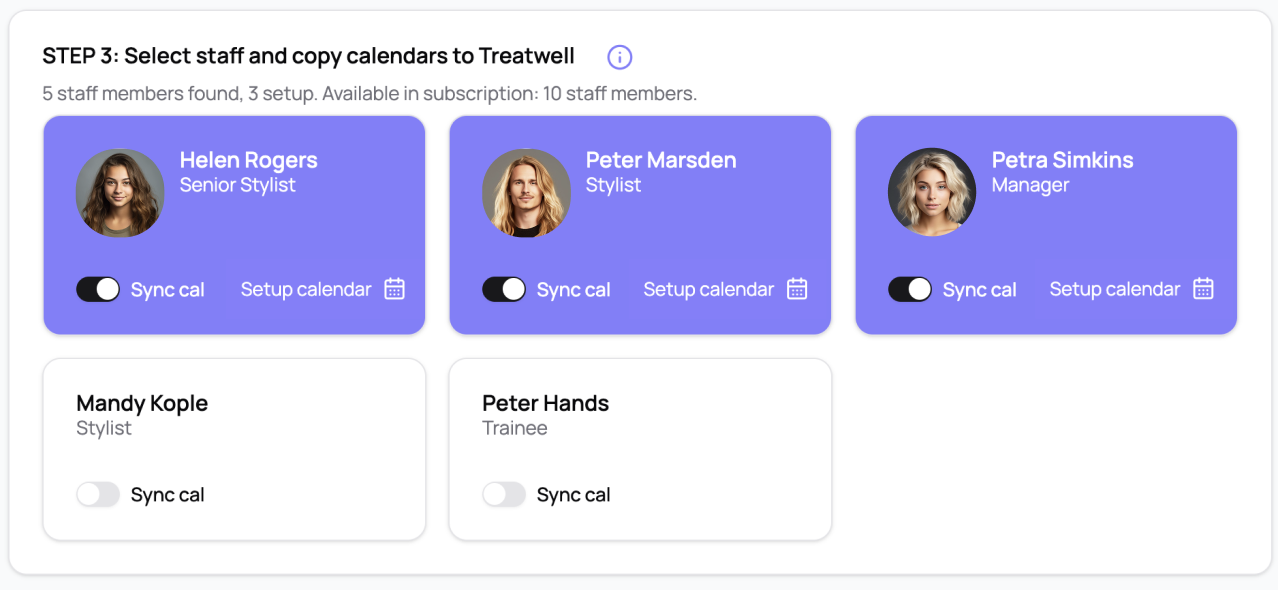
Select the staff whose calendars you want to sync by moving the switches. Selected staff are highlighted in purple.
Once you've done this, you can click on the 'Setup Calendar' icon for that user which will open a screen where you can copy their iCal link (this is also the screen where you would paste a classPass iCal link for that member of staff).
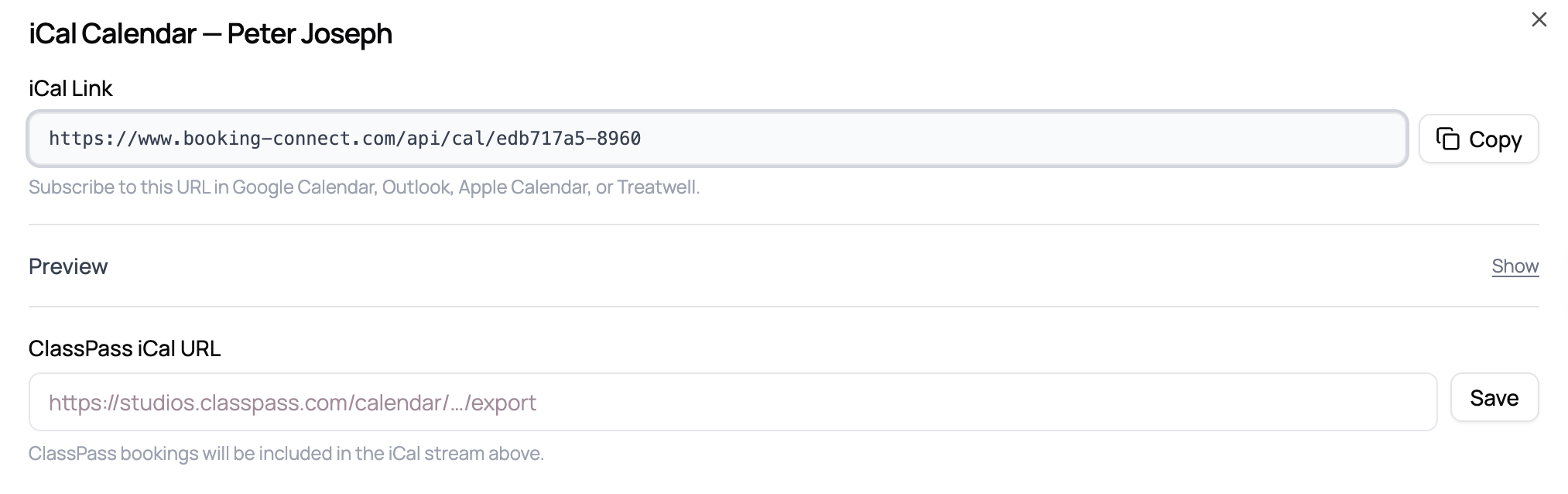
Now, simply navigate to your team in Treatwell Connect, click on each member individually and add the iCal link as below:
